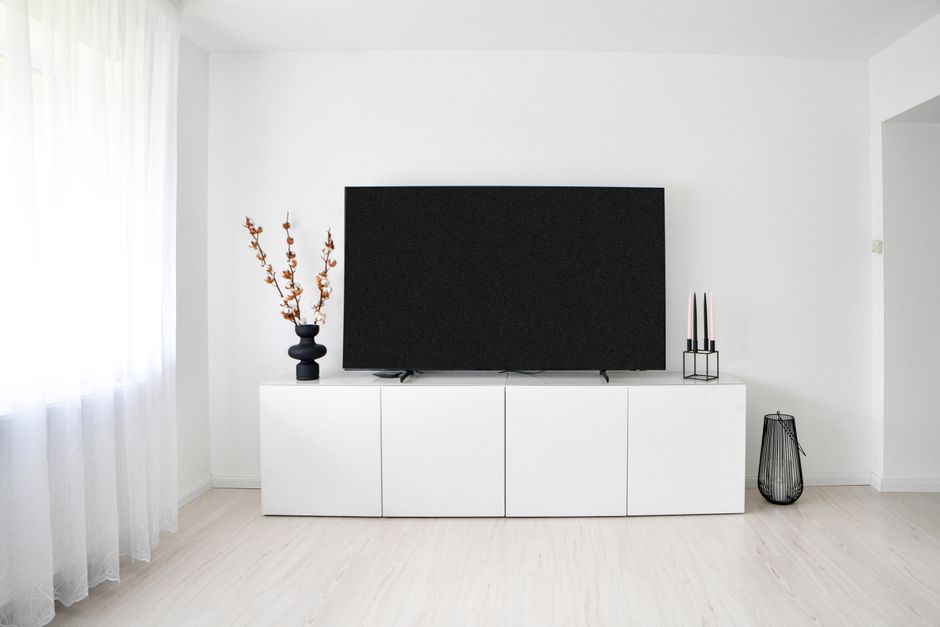
When a home security system or media room comes together properly, the technology behind it should be almost invisible: this article explores how thoughtful joinery design can house your CCTV recorders, modems, and AV gear neatly, safely, and with proper airflow.
Why Custom Entertainment Units Are the Smart Solution for Hiding Tech
Off-the-shelf furniture was never designed with a DVR, a mesh router, a streaming device, and a tangle of HDMI cables in mind. Custom entertainment units, on the other hand, are built around exactly what you need to house, which makes them the most practical starting point for any home security or media room fitout. Rather than forcing your equipment into a cabinet that was designed to hold books, a bespoke unit gives you control over shelf depth, internal clearance, ventilation cutouts, and discreet cable routing from day one.
The Problem With Generic Furniture
Standard entertainment units create real headaches for installers and homeowners alike. Shelves are too shallow for NVR units, back panels block cable runs, and enclosed compartments trap heat, which is one of the fastest ways to shorten the lifespan of sensitive electronics. At CamSafe Sydney, our technicians regularly see equipment failures that trace directly back to poor airflow in inadequate cabinetry.
- Heat buildup degrades recorders and routers over time
- Cable chaos makes maintenance and upgrades significantly harder
- Open shelving leaves expensive security equipment vulnerable to tampering
A well-designed custom unit solves all three problems before installation even begins. Joiners who understand AV and security requirements can build in louvred panels, internal cable conduits, lockable doors, and purpose-sized bays, turning what might otherwise be an eyesore into a seamless part of your interior design. Just as modders rebuild complex systems from the ground up for performance and aesthetics (much like the community effort behind Warcraft III Reforged: Forsaken Kingdom), great joinery starts with understanding every technical requirement before a single cut is made.
Planning Your Custom Entertainment Unit: Ventilation, Cable Routing and Heat Management
Before a single piece of timber is cut, the most important work happens on paper. Custom entertainment units built to house CCTV recorders, NVRs, modems and AV amplifiers present a unique engineering challenge that standard flat-pack furniture simply wasn't designed to solve: heat. Active electronics generate significant warmth, and when that warmth is trapped inside a sealed cabinet, you're shortening equipment lifespan and, in the worst cases, creating a fire risk.
Designing for Airflow From the Start
Effective ventilation needs to be baked into the joinery design, not retrofitted as an afterthought. A few principles that experienced cabinet makers and security installers consistently apply:
- Low intake, high exhaust: Cool air enters near the base of the cabinet and warm air exits through vented panels or discreet grilles at the top, following natural convection.
- Active cooling where needed: For dense equipment stacks, particularly when a 4K NVR sits alongside an amplifier and a modem, quiet 12V cabinet fans mounted to rear panels move air reliably without audible intrusion in a media room setting.
- Compartmentalisation: Dividing the unit into separate bays means heat from your CCTV recorder doesn't migrate into the bay housing your media player or streaming device.
Cable Routing: Tidy, Accessible and Secure
Power cables, Cat6 ethernet runs, coaxial lines and HDMI leads all need a planned path. Oversized cable access holes lined with rubber grommets protect cables from sharp edges and allow future changes without dismantling the joinery. A dedicated internal cable management spine, essentially a vertical channel routed through the back of the unit, keeps runs organised and separated, reducing interference between power and data lines.
The goal is a cabinet that a CamSafe technician can access cleanly during a maintenance visit, without disturbing the room or pulling furniture apart.
Security and Access: Locking Away Recorders and Network Gear Inside Custom Entertainment Units
Custom entertainment units aren't just about aesthetics, when they house CCTV recorders, NVRs, routers and network switches, the joinery itself becomes part of your security infrastructure. A beautifully crafted media cabinet that leaves your recorder visible and accessible to anyone walking through the door rather defeats the purpose of having a security system at all.
The most effective designs incorporate a dedicated lockable compartment, separate from open shelving for set-top boxes or game consoles, where your DVR or NVR sits behind a flush-fitting door with a key-cylinder or digital lock. This single design decision prevents opportunistic tampering during a break-in, where a burglar's first instinct is often to grab or disable the recorder before leaving.
- Keyed cam locks: Low-profile and flush-mounted, these suit timber joinery well and resist casual interference without looking industrial.
- Steel-lined compartment walls: For higher-risk properties, a timber exterior over a thin steel liner makes forced access genuinely difficult.
- Concealed hinges and minimal reveals: Reducing visible door gaps makes it harder to identify, and pry open, the locked section at all.
Access for authorised users still needs to be straightforward. Joinery makers can design drop-down or swing-out panels that expose cable management, USB ports and status lights without requiring the entire unit to be moved. This matters for routine checks and system reboots, tasks your installer or a household member may need to perform without disrupting the room.
If you're planning a system for a residential property, it's worth discussing cabinet placement and access requirements early in the process. Our team at CamSafe Sydney can advise on exactly what clearances and access points your recorder will need, visit our residential security page for an overview, or get in touch to talk through your specific setup before the joinery is built.
Joinery Details That Keep Custom Entertainment Units Tidy and Accessible
When joinery is designed specifically to house CCTV recorders, modems and AV gear, the internal details matter just as much as the external finish. A well-built bespoke entertainment unit from Brennan Cabinetry demonstrates exactly this principle, thoughtful construction means cables are managed from day one, not wrestled with after the fact.
Here are the joinery details that separate a frustrating cabinet from a genuinely functional one:
- Rear cable ports: Precision-cut holes, ideally grommeted, allow power and data cables to exit cleanly through the back panel without pinching or fraying. Position these to align directly with wall outlet locations.
- Internal cable channels: Routing cables through dedicated vertical channels between compartments keeps everything separated (power away from data, and camera feeds away from audio lines) reducing interference and making fault-finding straightforward.
- Removable rear panels: Rather than fixed backs, hinged or clip-on rear panels let an installer or technician access wiring without dismantling the unit. This is particularly valuable for Sydney homes where CCTV systems may need periodic reconfiguration.
- Adjustable shelving: NVRs, modems and amplifiers all have different footprints. Adjustable shelf pins allow the interior to adapt as equipment is upgraded over time.
- Pull-out or pivot-out shelves: For recorders that need regular access, to swap hard drives or check indicator lights, a drawer-mounted shelf keeps the unit reachable without full removal.
- Lockable doors with ventilated panels: Perforated or louvred door inserts allow airflow while keeping curious hands and opportunistic thieves away from sensitive equipment.
These details rarely appear on a standard flat-pack unit. Getting them right typically requires working with a cabinetmaker who understands both the aesthetic brief and the technical demands of housing always-on security and AV equipment.
Choosing the Right Builder for Your Custom Entertainment Units and Security Cabinets
Once you've mapped out your ventilation strategy, cable routes and locking requirements, the final challenge is finding a tradesperson who can actually deliver. Custom entertainment units that house active security or AV equipment sit at the intersection of joinery, electrical rough-in and systems integration, and not every cabinet maker understands all three.
Here's what to look for when vetting builders in Sydney:
- Experience with tech-housing joinery: Ask to see completed projects that include equipment bays, not just decorative shelving. A builder who has made a floating TV unit is not automatically qualified to design around a CCTV NVR and patch panel.
- Willingness to collaborate with your installer: The best outcomes come when the cabinet maker and your CCTV technician communicate directly, ideally before a single board is cut. Dimensions, conduit entry points and shelf spacing should all be agreed in advance.
- Knowledge of passive ventilation or fan integration: Confirm they understand heat management, not just aesthetics.
- Use of appropriate materials: MDF is fine for painted finishes, but solid timber or high-grade ply holds screws better over years of panel removal and access.
- Clear scope of works: Joinery quotes should specify who supplies and installs grommets, cable conduits, locking hardware and ventilation components, ambiguity here causes costly disputes.
In Sydney's eastern suburbs and inner west especially, local joiners experienced in media wall builds are increasingly common. Pair one with a professional CCTV installer from the outset and you avoid the frustrating, and expensive, scenario of beautiful cabinetry that overheats your recorder or buries your modem behind an inaccessible panel.
Designing joinery around security and AV equipment is genuinely achievable when ventilation, cable management, access and security are treated as first-principles requirements rather than afterthoughts. Whether you're protecting a home or a commercial premises, a well-planned fitted cabinet keeps your technology hidden, cool, accessible to authorised users and completely invisible to anyone who shouldn't be near it, which is exactly what good security design looks like.